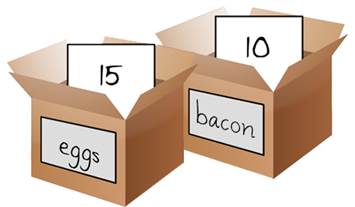
A variable is a box you can put stuff into. You can ask the box what's inside it at any time in a given sketch, and you can put new stuff into the box to replace the old stuff, or even take the old stuff out, mess with it, and put it back in again.
Variables are really handy because they let you code without repeating yourself. If you using a piece of data more than once, it's probably best to put it in a variable.
Here's a good use of a variable...
PROCESSING
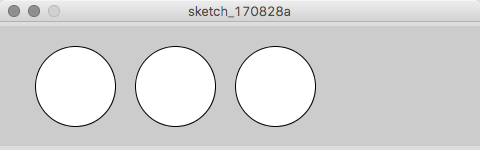
Example 4-1: Reuse the Same Values
size(480, 120);
int yLocation = 60;
int diameter = 80;
ellipse(75, yLocation, diameter, diameter);   // Left
ellipse(175, yLocation, diameter, diameter);  // Middle
ellipse(275, yLocation, diameter, diameter);  // Right
Our text likes using short variable names, but I prefer using names that tell me what's in the variable
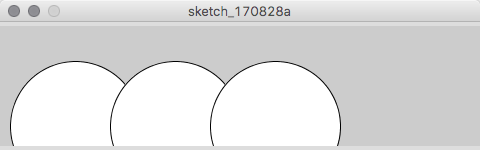
Let's see what happens when we change the variable's values...
PROCESSING
Example 4-2: Change Values
size(480, 120);
int yLocation = 100;
int diameter = 130;
ellipse(75, yLocation, diameter, diameter);   // Left
ellipse(175, yLocation, diameter, diameter);  // Middle
ellipse(275, yLocation, diameter, diameter);  // Right
Variables are invaluable assets when it comes to coding. Imagine a gigantic program with 10k lines in it that used a particular size ellipse several hundred times. If you want to change the diameter of the ellipses, if you didn't have variables, you'd have to go in by hand and replace every single diameter specification in every ellipse definition.
Making Variables
The Processing language requires you to declare what kind of stuff goes in the box. Declaring a variable goes like this:
int myVariable;
But you can also declare a variable and put stuff into it on the same line:
int myVariable = 10;
Variables Rules
All variables must follow these rules:
They must have a data-type at the beginning of their declaration.
They must start with a letter (caps or lower case), an underscore '_', or a dollar sign '$' (frequently used in jQuery and Python).
They can't contain spaces, but you can use underscores '_' to indicates spaces.
Caps count. myVariable is not the same as myvariable.
Only a-z, A-Z, 1-0 (but you can't start with a number), underscore, and dollarsign can be used in the name.
So, these variable names are all ok:
myVariable
_myVariable
my_variable
$myVariable
myVariable123
And these variable names will fail:
.myVariable - starts with a punctuation mark
my variable - has a space in it
1myVariable - starts with a number
my$variable - has a dollars sign not at the beginning
myVariable() - this would make it a function instead
Variable Data Types
The stuff a variable can hold is called 'data'. Processing recognizes all kind of different data, including:
boolean
Boolean, after Boolean math, which is a special branch of logic math about values that must be either true or false.
char
Character, or a single letter specified like 'A' (in single quotes).
color
Color, specified as color(123, 213, 111) or #ff0066.
int
Integers, or any whole number on the number line from -2,147,483,648 to 2,147,483,648, or -232 to 232.
float
Floats, or any whole number or decimal number from 3.40282347E+38 to -3.40282347E+38 (Hint: That's a really humongous number).
string
String, or a bunch of letters. Must be specified as "ABCDEF..." (in a double-quote).
Variables can also hold what's called Composite data types, like Arrays and Objects, which we'll get into later...
Processing (aka Environmental) Variables
Processing has certain built-in variables that give information about the environment the sketch is running in. The basic and most useful are width and height
Processing can do lot's of different kinds of math, but the most basic arithmetic is pretty simple to do with any number or variable that holds a integer or a float
These are the basic arithmetic functions in most coding languages:
+
Addition
-
Subtraction
*
Multiplication (shift-8)
/
Division
=
Assignment
The tricky bit is that coding languages process mathematcial functions in a particular order. So this line of code:
int x = 4 + 4 * 5;
Which process out to 24 (not 40) because multiplication takes precidence over addition. (4 time 5 is 20 plus 4 is 24). I hate trying to remember this, so what I do is use parenthesis to indicate which functions I want run first. So instead, to get 24, I would code the above as:
int x = 4 + (4 * 5);
And if I wanted to get 40, I'd write it out as...
int x = (4 + 4) * 5;
Cool Math Trick
Most languages will let you take a shortcut when you want to make a variable bigger or smaller with simple addition. Namely this:
int x = 1;
x =+ 10; // Adds 10 to the variable x. The same as writing x = x + 10;
x =- 15; // Sutracts 15 from the variable x. The same as writing x = x - 15;
And an even shorter notation for adding and subtracting 1 from a variable is this:
int x = 1;
x++;     // Adds one to x
x--;     // Subracts one from x
Repetition/Loops
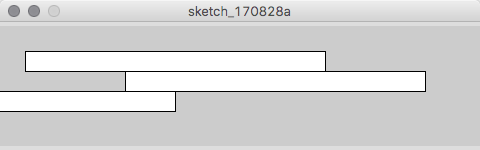
The best thing about coding is you make the code do all the work (or most of it, anyway). When you find that similar things have to be repeated, but with its values changed in each repetition, it's time to start letting the code do the work for you. Here's a boring, repetitions way of coding a bunch
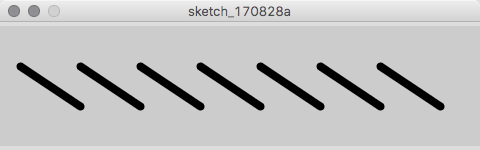
But using a for loop is much easier to code, and could make a million lines if you wanted it to
PROCESSING
Example 4-6: Use a for Loop
size(480, 120);
strokeWeight(8);
for (int i = 20; i < 400; i += 60) {
 line(i, 40, i + 60, 80);
}
Which gives you exactly the same thing!
Let's Parse That Out...
Note: the values N1, N2, and N3 represent integer numbers
for statements
for command
initialization define the counter (i) as an integer
test value to test the counter for
update how much to increment the counter by
code block of what to do while the counter increases
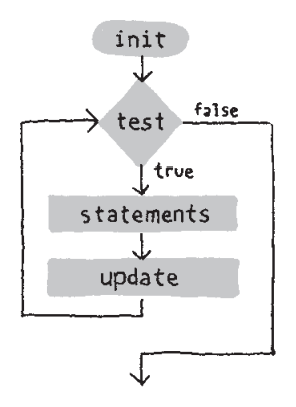
In a for loop, you define how many times it runs with three statements inside the parenthesis separated by semicolons, and then define what it does between the { } brackets.
Setup the initial value of i to N1
Test the value of i to see if it's less then N2
If it passes the test, do the statements between the brackets
Then increment the value of i by N3 and go back to the test
If it doesn't pass the test, stop doing the loop and continue whatever else comes after it
Testing in a For Loop
The test bit, in our example: i < N2, is always a relational expression. In this case is parses out to
it the value in the variable i less than N2?
It goes back to our Algebra days. Here's the official list of relational tests:
A > B
is A greater than B
A < B
is A less than B
A >= B
is A greater or equal to B
A <= B
is A less than or equal to B
A == B
is A equal to B. Yes, that's right, two = signs, not one. One equal sign assigns a value and doesn't test two values.
A != B
is A not equal to B Believe it or not, this can come in really handy
Any relational test will evaluate to either true or false, so 5 > 3, or is 5 greater then 3 evaluates to true and 5 < 3, or
is 5 less than 3 evaluates to false. for loops and if/then/else statements depend on these test to do the work the do.
The Power of Loops
Because a loop can run many times, it makes iterating changes to the statements really powerful and relatively easy. Let's change up our last block of code:
PROCESSING
Example 4-6: Use a for Loop
size(480, 120);
strokeWeight(8);
for (int i = 20; i < 400; i += 60) {
 line(i, 40, i + 60, 80);
}
Change it to:
PROCESSING
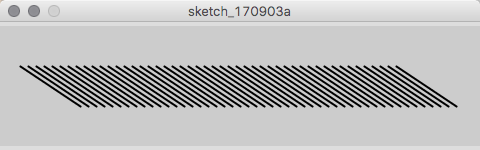
Example 4-7: Flex Your for Loop's Muscles
size(480, 120);
strokeWeight(2);
for (int i = 20; i < 400; i += 8) {
  line(i, 40, i + 60, 80);
}
iteration
start x
start y
end x
end y
1
20
40
80
80
2
28
40
88
80
3
36
40
96
80
4
44
40
104
80
49
396
40
456
80
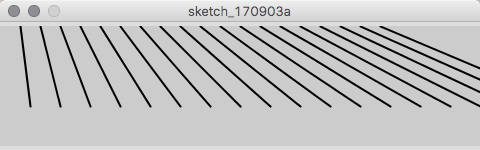
Change it again to:
PROCESSING
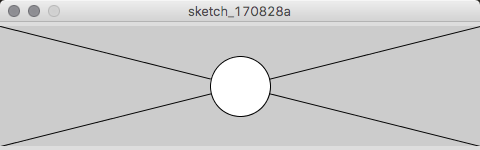
Example 4-8: Fanning Out the Lines
size(480, 120);
strokeWeight(2);
for (int i = 20; i < 400; i += 20) {
  line(i, 0, i + i/2, 80);
}
iteration
start x
start y
end x
end y
1
20
0
30
80
2
40
0
60
80
3
60
0
90
80
4
80
0
120
80
19
380
0
540
80
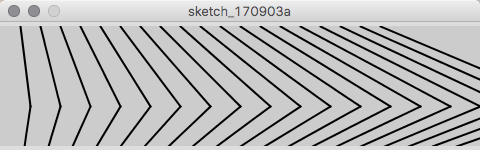
Change it again to:
PROCESSING
Example 4-9: Kinking the Lines
size(480, 120);
strokeWeight(2);
for (int i = 20; i < 400; i += 20) {
  line(i, 0, i + i/2, 80);
  line(i + i/2, 80, i*1.2, 120);
}
Notice that end x/y for the first line is the same as the start x/y for the second line.
first line
iter.
start x
start y
end x
end y
1
20
0
30
80
2
40
0
60
80
3
60
0
90
80
4
80
0
120
80
19
380
0
540
80
second line
iter.
start x
start y
end x
end y
1
30
80
24.0
120
2
60
80
48.0
120
3
90
80
96.0
120
4
120
80
120.0
120
19
540
80
456.0
120
Getting Fancy: Embedding a Loop in a Loop
When you put a for loop inside another for loop, it has the effect of multiplying the repetitions. The outer loop gets executed, say, 10 times, and the inside loop gets executed 10 times too, then you would have 100 repetitions! Let's try one:
PROCESSING
Example 4-10: Embed One for Loop in Another
size(480, 120);
background(0);
noStroke();
fill(255, 140); // Different from textbook, doesn't need to be inside loop
for (int myY = 0; myY <= height; myY += 40) {
   for (int myX = 0; myX <= width; myX += 40) {
      ellipse(myX, myY, 40, 40);
   }
}
To figure this out more readily, let's do the inner loop by itself and see what happens:
step
1st loop iteration
2nd loop iteration
x
y
1
1
1
0
0
2
1
2
40
0
3
1
3
80
0
...
...
...
...
0
13
1
13
480
0
14
2
1
40
40
15
2
2
80
40
...
...
...
...
40
26
2
13
480
40
27
3
1
40
80
28
3
2
80
80
...
...
...
...
...
52
4
13
480
120
PROCESSING
Example 4-10: Deconstructed
size(480, 120);
background(0);
noStroke();
fill(255, 140);
int myY = 0;
for (int myX = 0; myX <= width; myX += 40) {
    ellipse(myX, myY, 40, 40);
}
Since myY is not changing everytime with the outer loop, the inner loop only draws one row of circles. So if we add the outer loop, each change in the value of myY (0 thru 120 in 40 unit steps) will draw another row of circles.
SO the hard way to do this would be like this:
PROCESSING
Example 4-10: Deconstructed
size(480, 120);
background(0);
noStroke();
fill(255, 140);
int myY = 0;
for (int myX = 0; myX <= width; myX += 40) {
    ellipse(myX, myY, 40, 40);
}
int myY = 40;
for (int myX = 0; myX <= width; myX += 40) {
    ellipse(myX, myY, 40, 40);
}
int myY = 80;
for (int myX = 0; myX <= width; myX += 40) {
    ellipse(myX, myY, 40, 40);
}
int myY = 120;
for (int myX = 0; myX <= width; myX += 40) {
    ellipse(myX, myY, 40, 40);
}
But it's much easier to put the outer loop modifying myY!
Let's mess around!
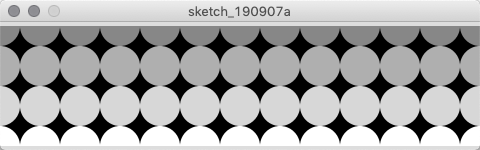
Let's add more stuff to the loop and see what happens!
PROCESSING
Example 4-10: Modified
size(480, 120);
background(0);
noStroke();
for (int myY = 0; myY <= height; myY += 40) {
   for (int myX = 0; myX <= width; myX += 40) {
       fill(myY+135); // Any value over 255 turns black
      ellipse(myX, myY, 40, 40);
   }
}
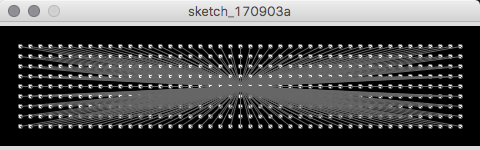
PROCESSING
Example 4-12: Pins and Lines
size(480, 120);
background(0);
fill(255);
stroke(102);
for (int y = 20; y <= height-20; y += 10) {
   for (int x = 20; x <= width-20; x += 10) {
      ellipse(x, y, 4, 4);
      // Draw a line to the center of the display
      line(x, y, 240, 60);
   }
}
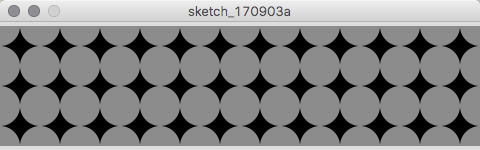
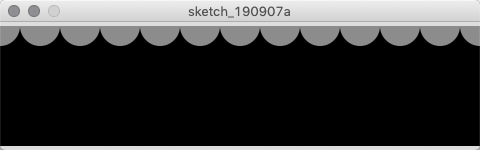
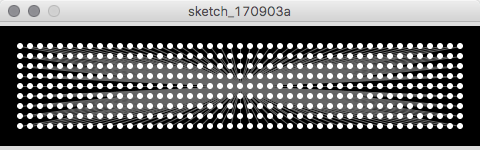
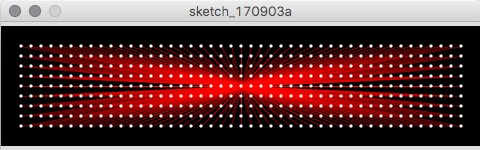
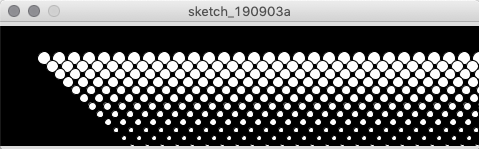
How would we modify the code to draw this:
Or this?
PROCESSING
Example 4-13: Halftone Dots
size(480, 120);
background(0);
for (int y = 32; y <= height; y+= 8) {
  for (int x = 12; x <= width; x += 15) {
    ellipse(x + y, y, 16 - y/10.0, 16 - y/10.0);
  }
}
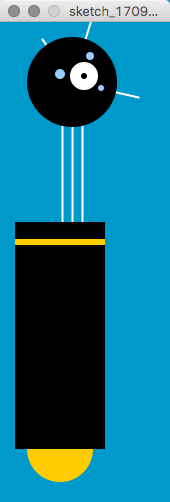
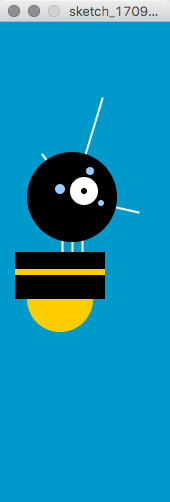
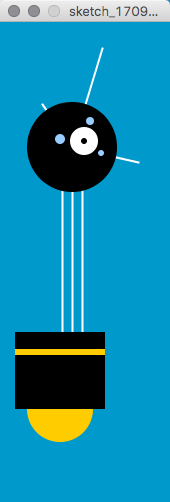
Robot 2: Variables
PROCESSING
Robot 2: Variables
int x = 60;           // x-coordinate
int y = 390;          // y-coordinate
int bodyHeight = 180; // Body Height
int neckHeight = 40;  // Neck Height
int radius = 45;      // Head Radius
int ny = y - bodyHeight - neckHeight - radius; // Neck y

size(170, 480);
strokeWeight(2);
background(0, 153, 204);
ellipseMode(RADIUS);

// Neck
stroke(255);
line(x+2,  y-bodyHeight, x+2,  ny);
line(x+12, y-bodyHeight, x+12, ny);
line(x+22, y-bodyHeight, x+22, ny);

// Antennae
line(x+12, ny, x-18, ny-43);
line(x+12, ny, x+42, ny-99);
line(x+12, ny, x+78, ny+15);

// Body
noStroke();
fill(255, 204, 0);
ellipse(x, y-33, 33, 33);
fill(0);
rect(x-45, y-bodyHeight, 90, bodyHeight-33);
fill(255, 204, 0);
rect(x-45, y-bodyHeight+17, 90, 6);

// Head
fill(0);
ellipse(x+12, ny, radius, radius);
fill(255);
ellipse(x+24, ny-6, 14, 14);
fill(0);
ellipse(x+24, ny-6, 3, 3);
fill(153, 204, 255);
ellipse(x, ny-8, 5, 5);
ellipse(x+30, ny-26, 4, 4);
ellipse(x+41, ny+6, 3, 3);