Exercise 07: Color Schemes
Description
- Use this Illustrator template to create six color schemes of five colors each
- For each of the first five color schemes, choose a set of five colors that relate to a given subject. Your may choose from this list or create your own:
- Bob and Ray's Root Beer
- Tiki Tom's Coconut Dream
- Foster Farms Chicken Tenders
- Sutter Home Zinfindel
- The National Park System
- Cuban Airlines
- Grand Canyon's El Tovar Hotel
- The Louvre
- Gizmo's SuperPhone
- Etc. Have fun, be creative
- Using the Color widget at color.adobe.com,
create color schemes that promote/reënforce the subject you chose.
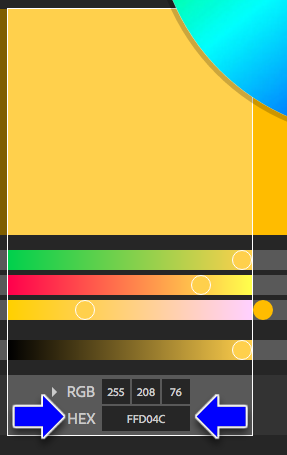
- The easiest way to do this is to
write down the HEX number
of the five colors you chose.
- Then apply it to a square's color in Illustrator by clicking on the square, then double-clicking on the color tab, which opens up the Color Picker
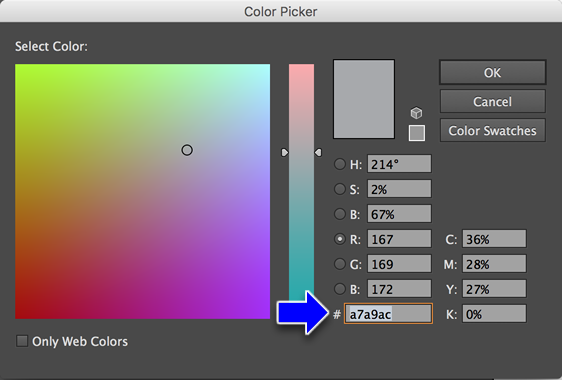
- Then type in
the HEX number
in the field
with the
# sign and
click OK.
- Once you've to the colors set for the color scheme, edit the text above the colors with the subject of the color scheme and write a paragraph about how the colors you selected promote/reënforce the subject
- For the last color scheme, do one for your personal visual identity!
Specifications
- Turn in your .ai file named lastnamefirstinitial_exercise07.ai to the Uploads page
Timeline
Start:
Due: End of