Set aside a couple of pages in your sketchbook for this exercise.
- With the notion that your handwriting is you, your identification, write your name big enough to fill up a page. Do this several times until you get one you think works best.
- Determine if your signature has any features that might characterize your personality. For example, is it full of flourishes, or does it look best when drawn rapidly or rendered out meticulously and slowly.
- Write down ten adjectives that describe your personality. Use these to inform your search for typefaces.
- Use the web to find typefaces that express your personality. A very handy site is fontsquirrel.com
- Design your name in ten different typefaces that you believe are appropriate. Use screen capture (shift-command-4) to grab your name from the web site.
- Take the screen-captures and consolidate them into a single image.
- Now hand-draw the letterforms of your name retaining any quirks or imperfections that might characterize you.
- Give careful consideration to the spacing between the letters and words in your hand-drawn version!
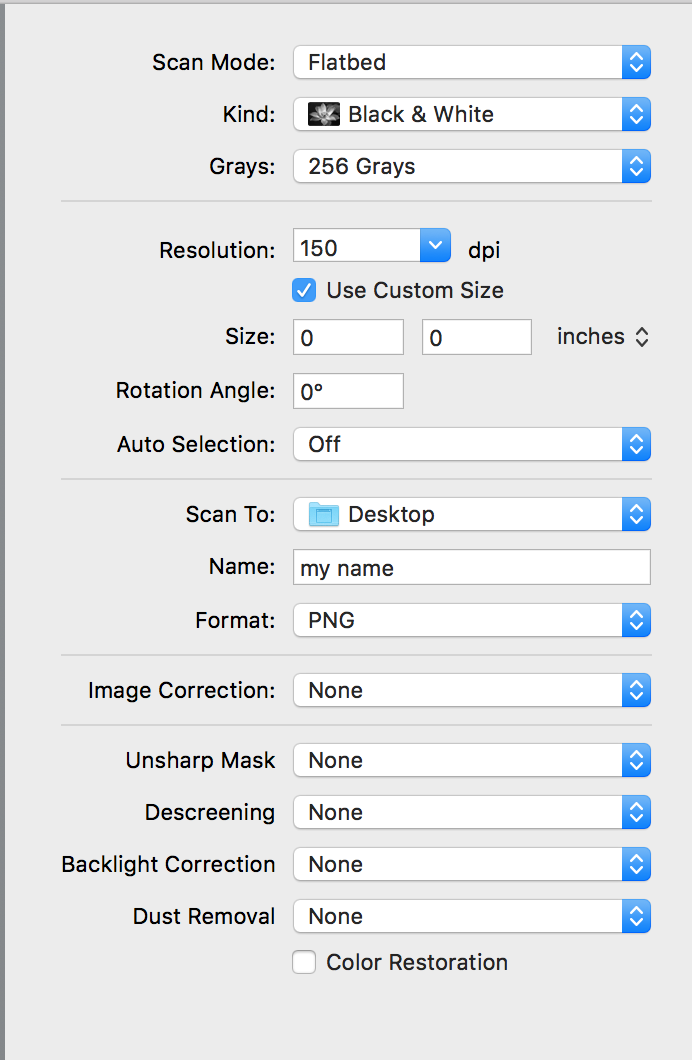
- Scan your hand-drawn name. Use these settings:
- Scan Mode: Flatbed (the default)
- Kind: Black & White (Color is OK too)
- Grays: 256 Grays (or Colors: Millions if Kind is Color)
- Resolution: 150 dpi (the default)
- Size: (this will show the size of the rectangle you selected by click and dragging in the preview window)
- Rotation Angle: 0° (the default)
- Auto Selection: Off (probably not the default, be sure to set it to Off and choose the area you want to scan yourself)
- Scan To: Desktop (or wherever you can find it again)
- Name: my name (or fred flinstone or whatever, just so you can find it again)
- Format: PNG (probably not the default)
- The rest, leave wtih default settings...
- Turn in two files:
- Your screen captures in a single image, named captures.png
- Your scanned hand drawn name, named yourname.png
- Put both files into a folder named lastnamefirstinitial_exercise04.zip, compress it and upload it to the Uploads page of Canvas
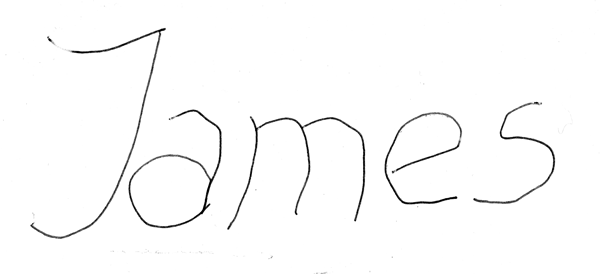
NOTE: Just drawing your name the way you usually write it is not a solution to this exersice. Nor is just writing out letterforms only as thick as a pen or pencil width. This is not OK:
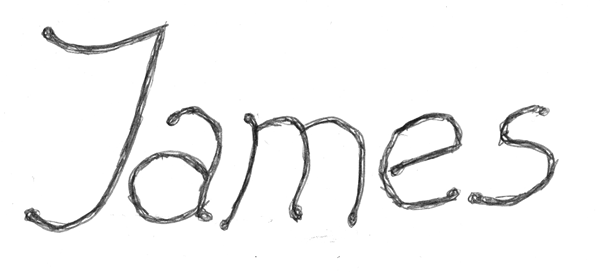
But either of these would be OK:
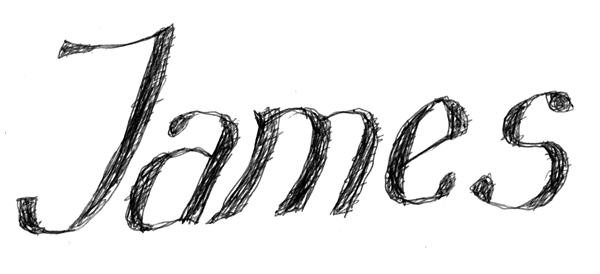
And fill in the letterforms.