The Exercise
We will use Adobe Illustrator for this. Download this file:
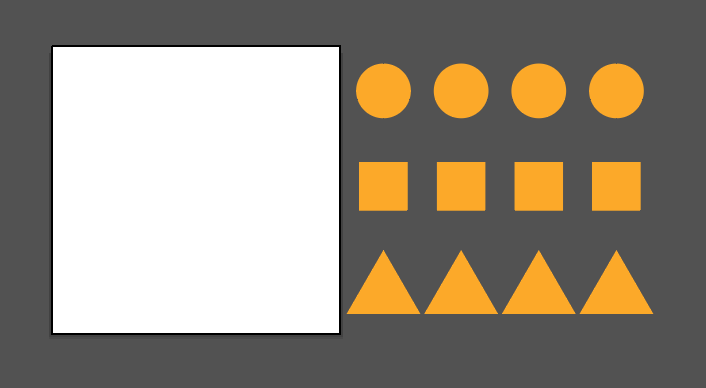
exercise02_start.ait.zip (double-click to unzip file to use it)
Use it to make your Rhythm & Balance examples. Don't accept the sizes or the colors of the elements as what you should use. Play with colors and sizes, I will demonstrate how in class.
- Working in the 6 x 6 inch square set up in Illustrator, arrange three of four geometric elements (circles, squares, rectangles, triangles, etc) in a symmetrical way. Start with three variations in which all the elements are the same size, then create three symmetrical designs with elements of different size. Experiment with scale and cropping.
- Create six asymmetrical designs using elements of different sizes. Experiment until you find visual balance in each composition. For example, use several small elements to offset one larger one.
- Many variations are possible. You may introduce contrasts of hue, saturation, and/or value in any example. You should have a total of 12 different rhythm & balance compositions:
- Three symmetrical variations in which three or more elements are the same size.
Name Them:
symmetrical-samesize-1.ai
symmetrical-samesize-2.ai
symmetrical-samesize-3.ai
- Three symmetrical variations in which three or more elements are different sizes.
Name Them:
symmetrical-difsize-1.ai
symmetrical-difsize-2.ai
symmetrical-difsize-3.ai
- Six asymmetrical variations in which there are three or more elements.
Name Them:
asymmetrical-1.ai
asymmetrical-2.ai
asymmetrical-3.ai
asymmetrical-4.ai
asymmetrical-5.ai
asymmetrical-6.ai



Symmetry: Elements mirror from side to side along a common axis. Symmetry can be top to bottom, left to right, or both.



Asymmetry: Elements are placed organically, relying on the interaction of form and negative space to yield tension and balance.
Rules
- No transparency
- No gradients
- No strokes (outlines)
- No colored backgrounds
- In other words, just use size, postion, rotation and color
- Put all your files in a single folder, compress it and name it lastnamefirstinitial_exercise02.zip