Animate Multi Robots
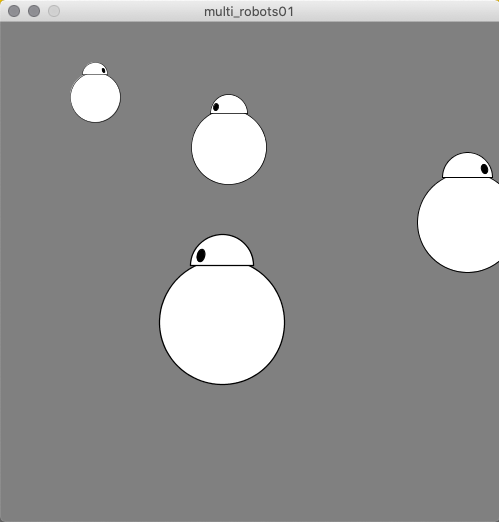
This example shows how to use one robot function to create multiple robots, each behaving a little differently. The drawRobot() function passes a parameter in the form of a string (either "left" or "right") that determines which way the robot is facing. The motion of each robot is controlled in the draw() function, and each one is isolated from the other robot's scale and motion by encapsulating them between a pushMatrix() and popMatrix() command.
PROCESSING
Multi-Robots
// Multi-Robots
// v1.0
//
// Global Variables
float rX1 = 250;
float rX2 = rX1;
float rX3 = rX2;
float rX4 = rX3;

void setup() {
  size(500,500);
}

void draw() {
  background(128);
  // robot 1
  rX1 += 1;
  if(rX1 > 525) { rX1 = -25; }
  pushMatrix();
    translate(rX1, 75);
    scale(.5);
    drawRobot("right");
  popMatrix();
  // robot 2
  rX2 -= 1.25;
  if(rX2 < -40) { rX2 = 540; }
  pushMatrix();
    translate(rX2, 125);
    scale(.75);
    drawRobot("left");
  popMatrix();
  // robot 3
  rX3 += 1.5;
  if(rX3 > 550) { rX3 = -50; }
  pushMatrix();
    translate(rX3, 200);
    scale(1);
    drawRobot("right");
  popMatrix();
  // robot 4
  rX4 -= 2;
  if (rX4 < -60) { rX4 = 560; }
  pushMatrix();
    translate(rX4, 300);
    scale(1.25);
    drawRobot("left");
  popMatrix();
}

void drawRobot(String whichWay) {
  // Body
  ellipse(0,0,100,100);
  // Head
  arc(0,-45,50,50,radians(180), radians(360), CHORD);
  // Eye
  pushMatrix();
    if(whichWay == "right") {
      translate(17,-53);
      rotate(radians(-15));
    } else {
      translate(-17, -53);
      rotate(radians(15));
    }
    fill(0);
    ellipse(0,0,6,10);
    fill(255);
  popMatrix();
}