There's one more thing to take care of in our CIAB project (isn't there always), and that's to replace the placeholder text for ([INLINE-IMAGE:nameofimage.psd]) with the actual images. Easy enough, but you need to get them all. And there's a trick to positioning the correctly, they sit a couple of points lower than the should.
So, first off, use the Find/Change function (Menu > Edit > Find/Change...) and search for "INLINE": 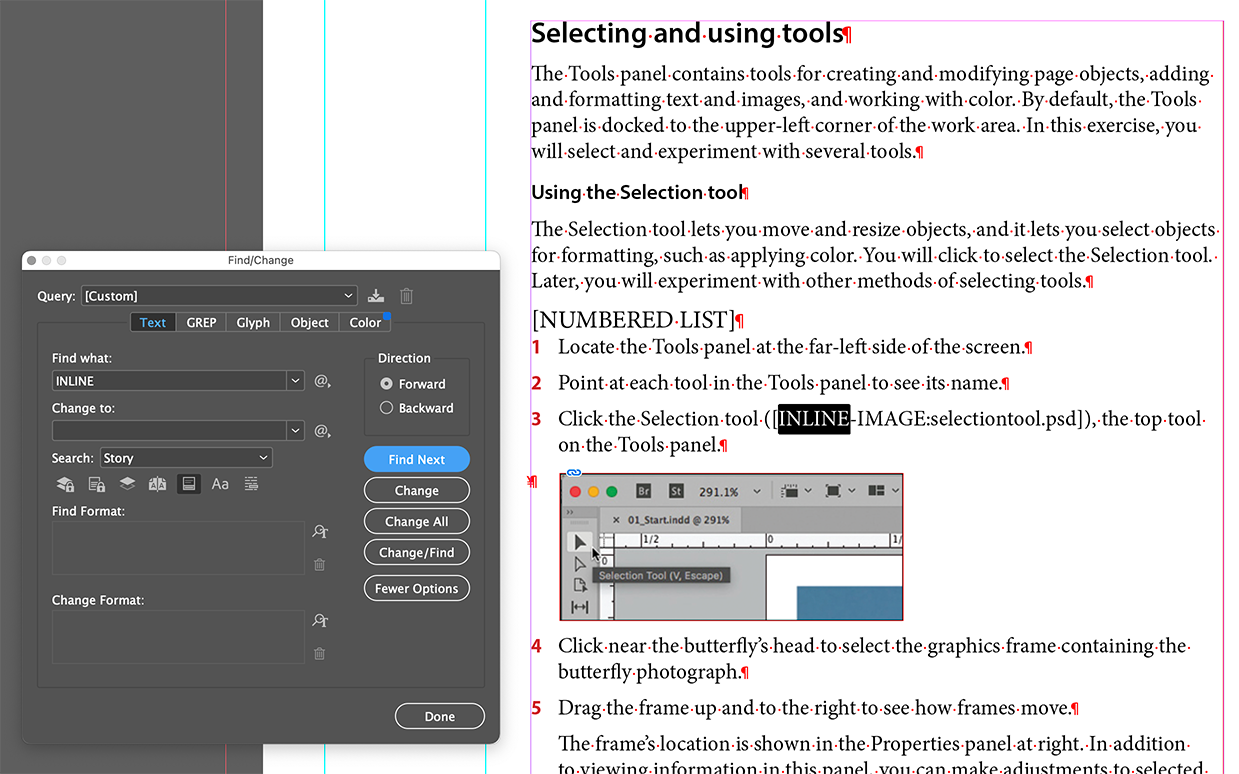
This will find all the instances in the copy places where in inline image within the chapter text.
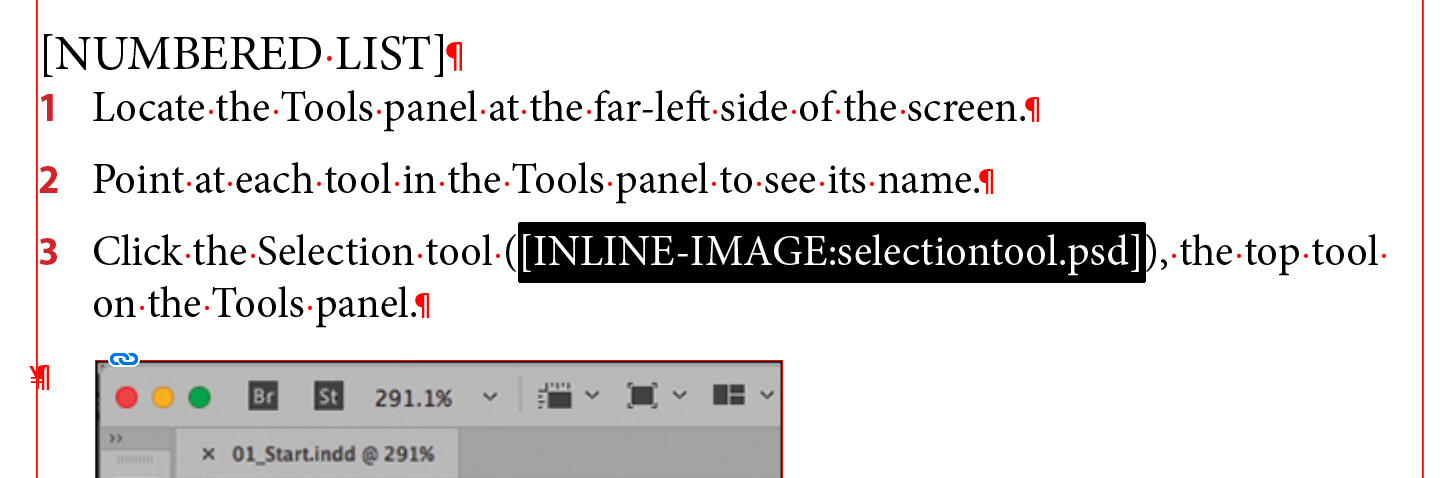
Next, select the text from bracket to bracket, then go the Menu > File > Place and choose the appropriate .psd file.
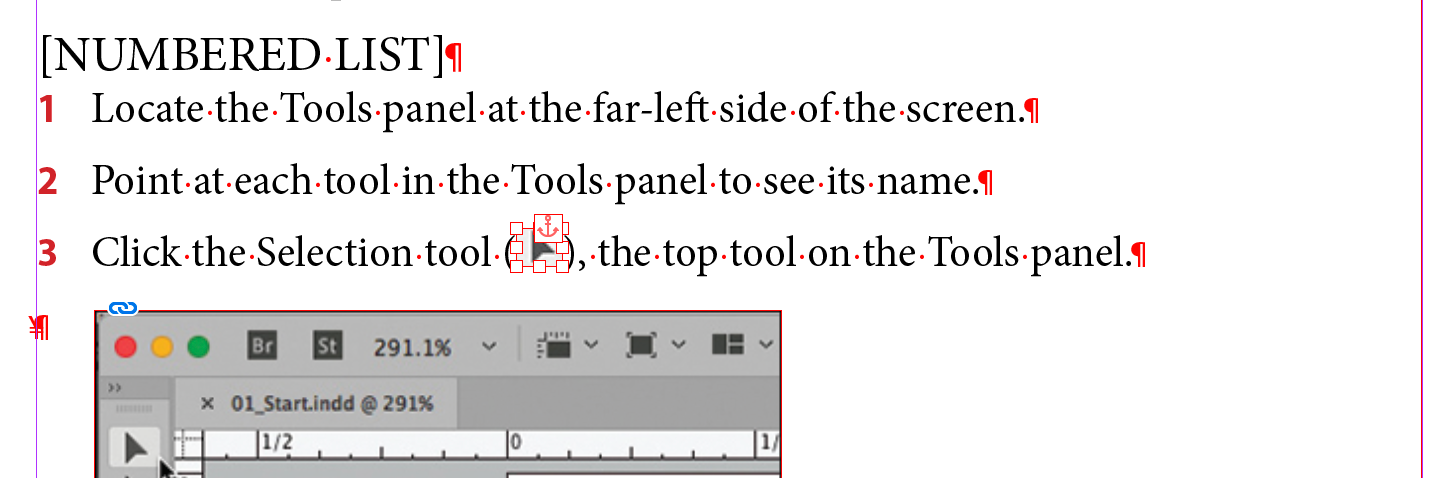
This will replace the text with the graphic. Then right-click on the graphic and choose Anchor > Options...
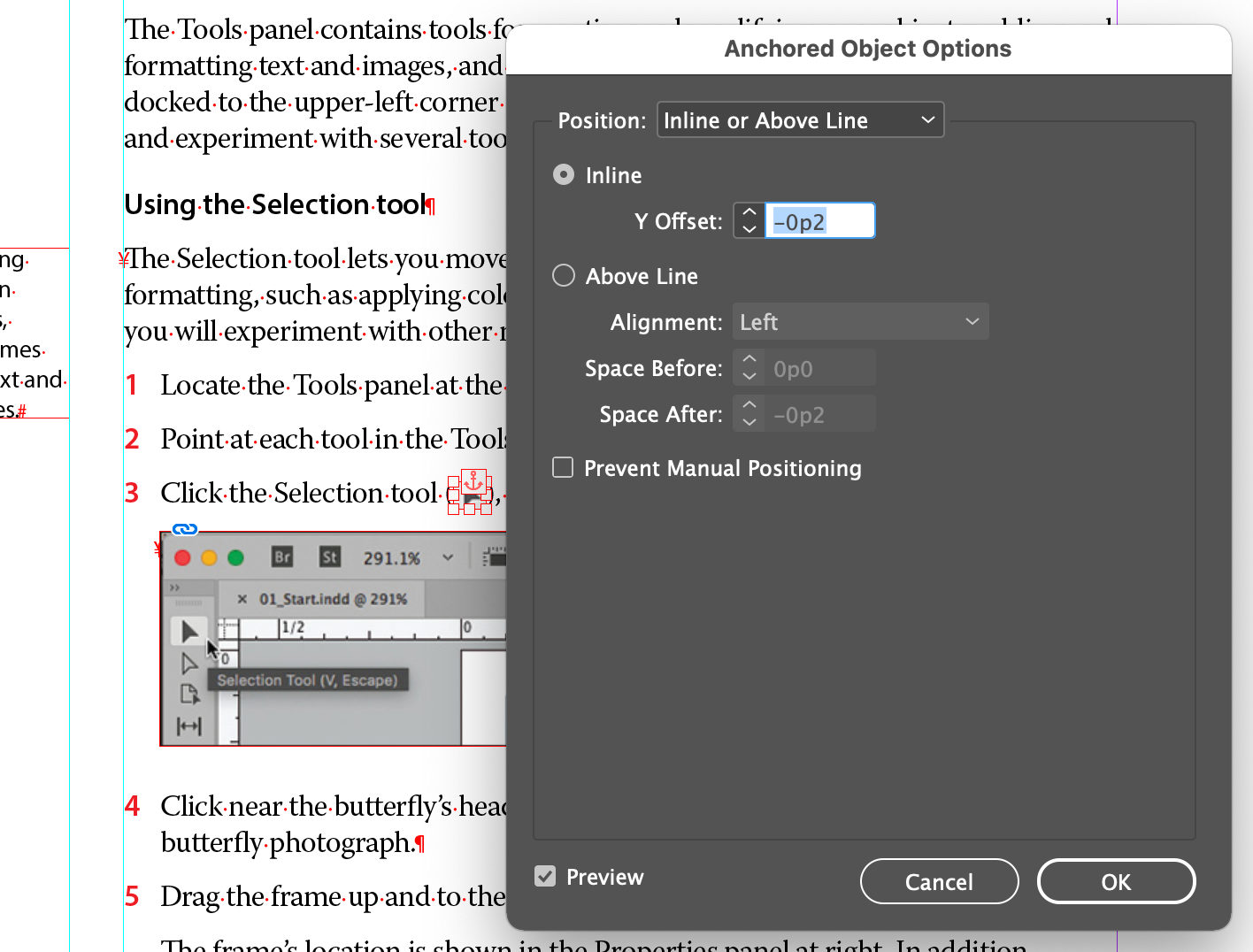
Then set the Position to Inline or Above Line
and give the Inline setting Y Offset a value of -0p2.
Then make that an object style and apply it to all the inline graphics you set up.
BTW: By my count, there are 24 inline images