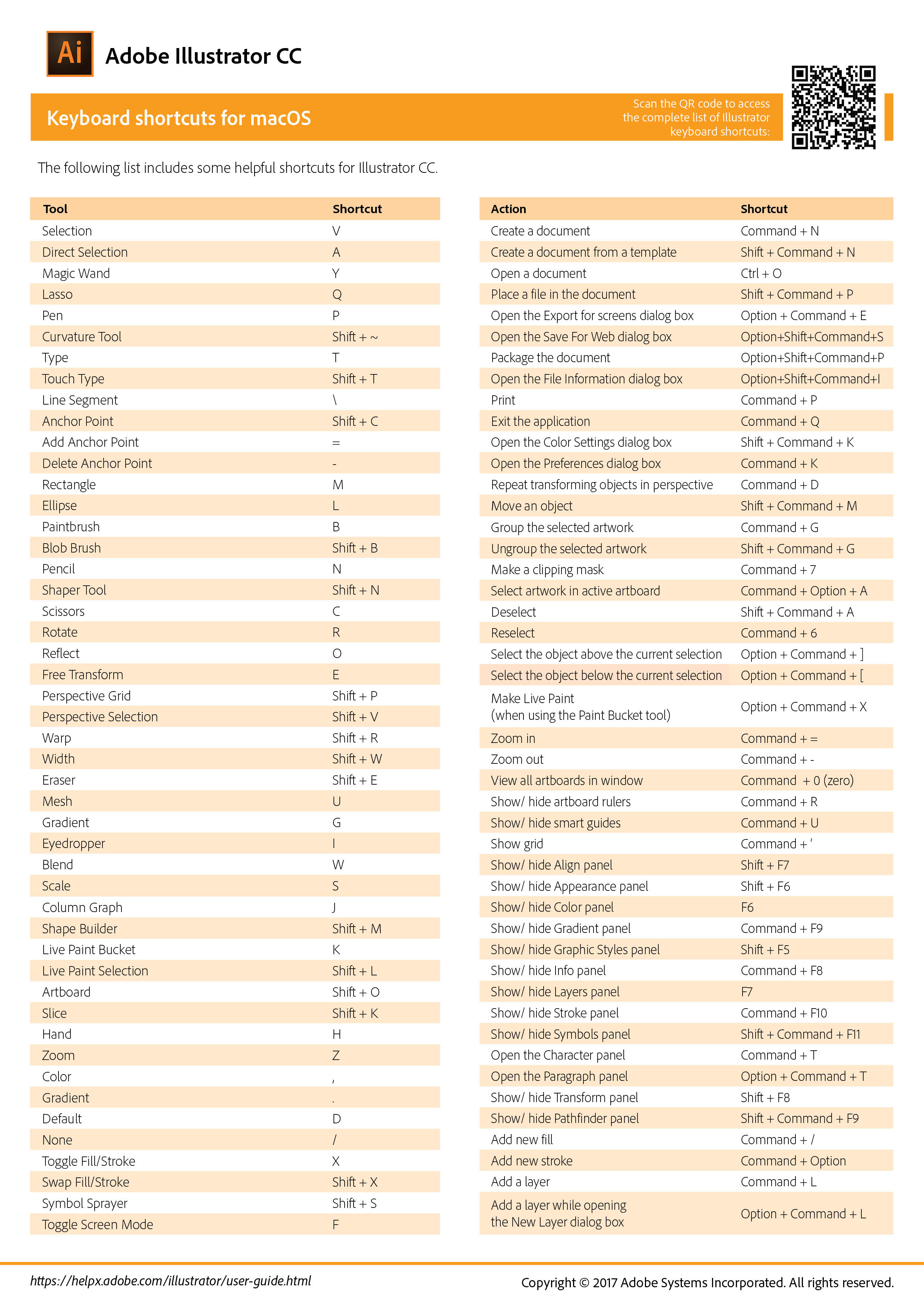
macOS Keyboard Shortcuts
(Right-click and copy)
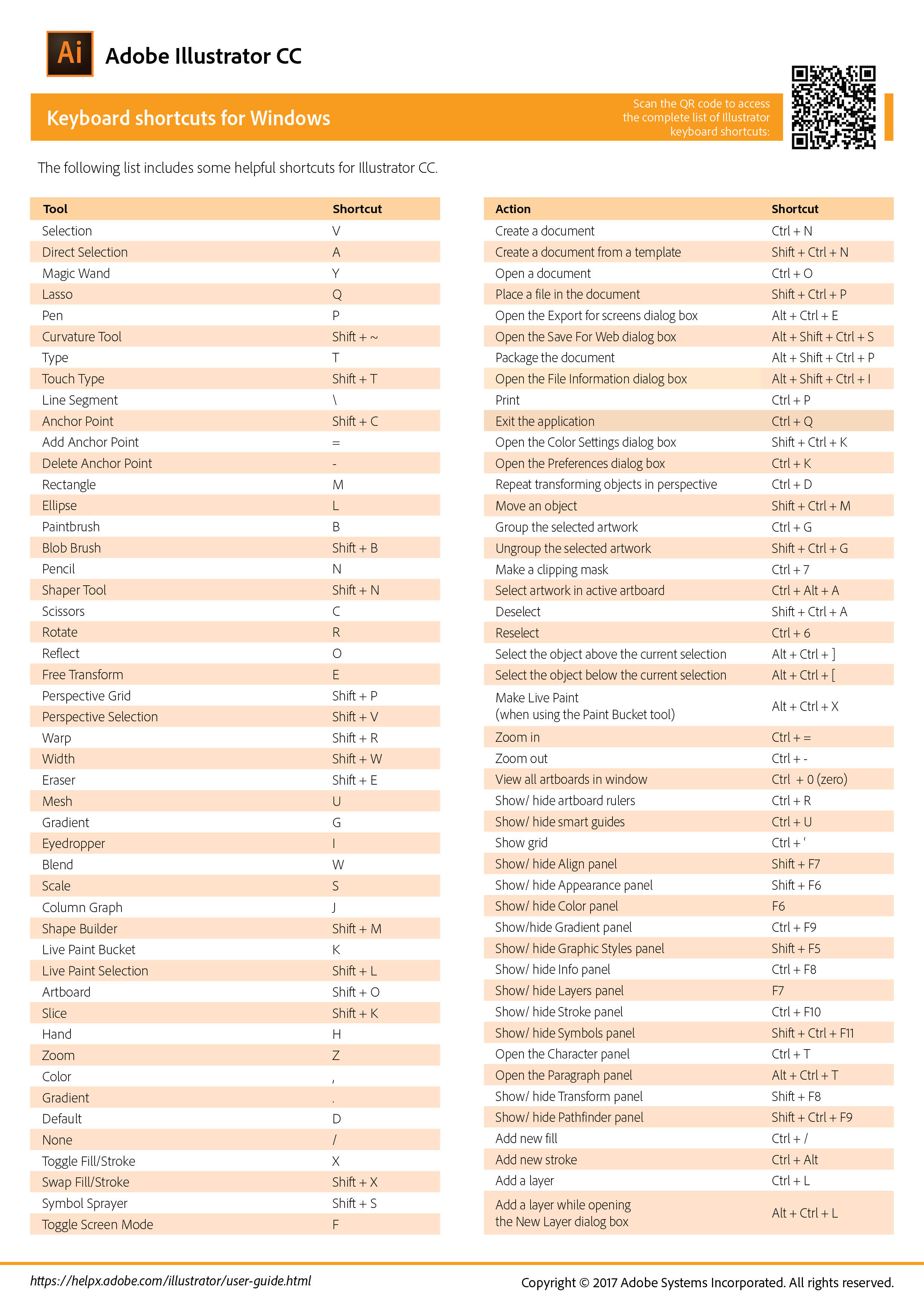
Windows Keyboard Shortcuts
(Right-click and copy)
macOS Keyboard Shortcuts
(Right-click and copy)
Windows Keyboard Shortcuts
(Right-click and copy)
| Mode | Mac Mod-Key | Win Mod-Key | Effect |
| Select-drag object | None | None | Moves object |
| Select-drag top, left, bottom or right center-handles | None | None | Enlarges or shrinks object from that side |
| Select-drag corner handle | None | None | Enlarges or shrinks object from that corner |
| Select-drag object | Shift | Shift | Constrains object's movement to horizontal, vertical or 45 degree axis |
| Select-drag top, left, bottom or right center-handles | Shift | Shift | Proportionately expands or shrinks object from that side |
| Select-drag corner handle | Shift | Shift | Proportionately expands or shrinks object from that corner |
| Select-drag object | Option | Alt | Leaves original object behind and moves a copy |
| Select-drag top, left, bottom or right center-handles | Option | Alt | Expands or contracts object from its center-point only on horizontal axis (for left and right handles), or only vertical axis (for top and bottom handles) |
| Select-drag corner handle | Option | Alt | Expands or contracts object from it center-point on horizontal and vertical axis |
| Select-drag object | Option & Shift | Alt & Shift | Leaves original object behind and moves a copy constrained to horizontal, vertical or 45degree axis |
| Select object | Command | Control | Changes Selection to to Direct Selection tool |