How To Log In (if you aren't already)
Sometimes the links won't work without another login. Follow these steps:
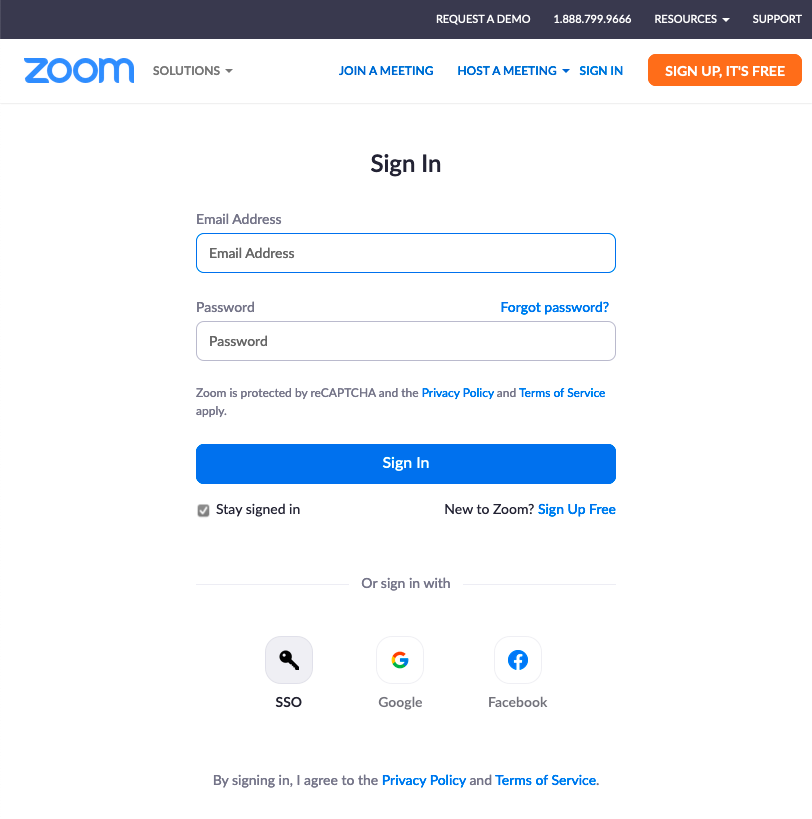
- You might see this screen when you click on the video link. If so, click on the SSO button in the lower left
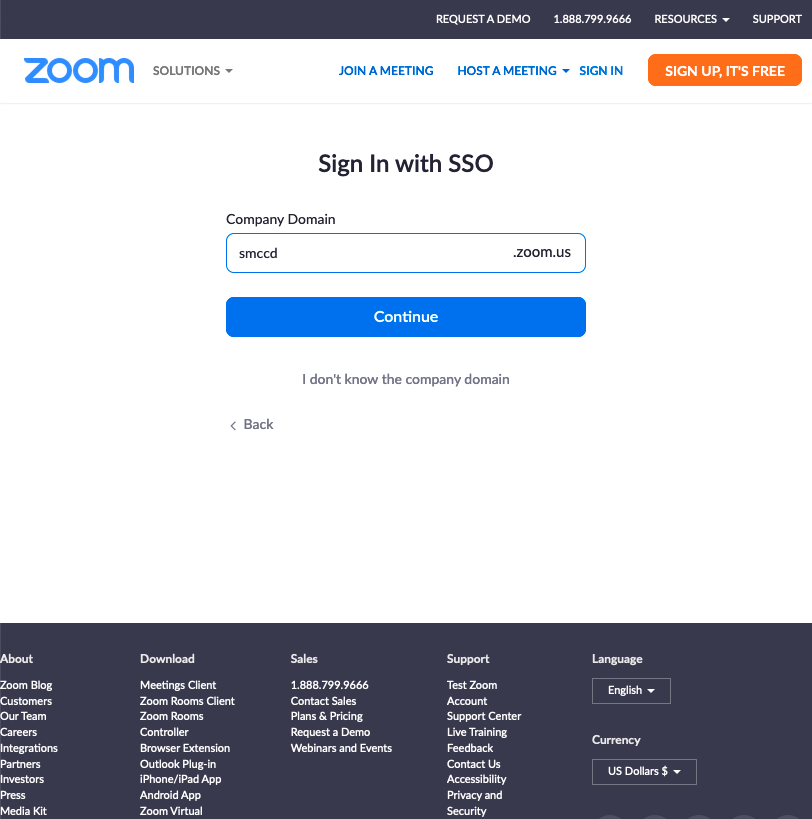
- Enter "smccd" into the Company Domain and click Continue
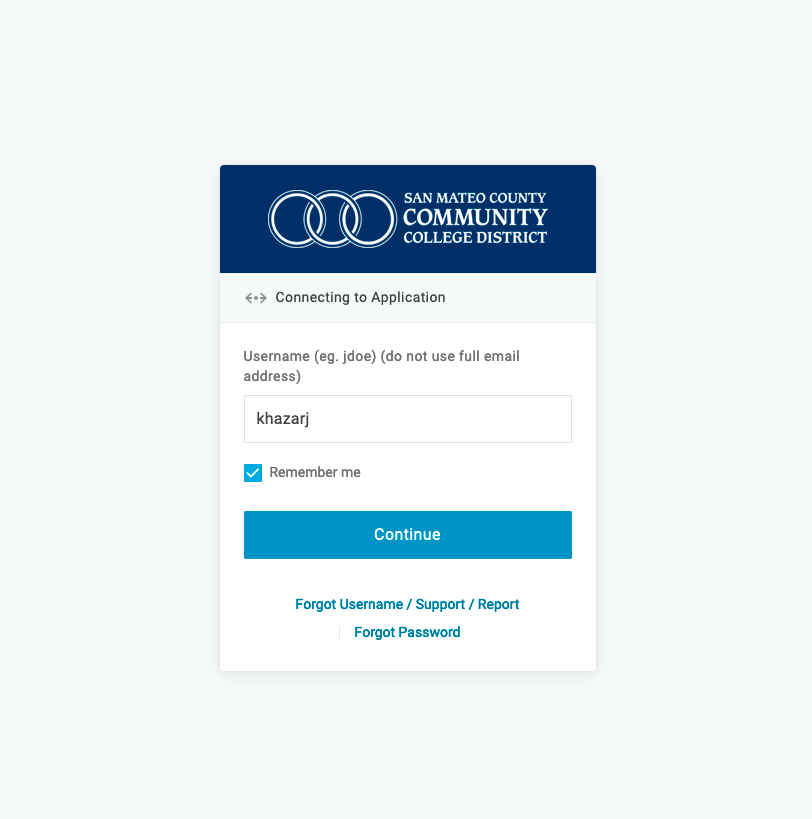
- Enter your username like it says (for me, it's khazarj, NOT khazarj@smccd.edu) and click Continue.
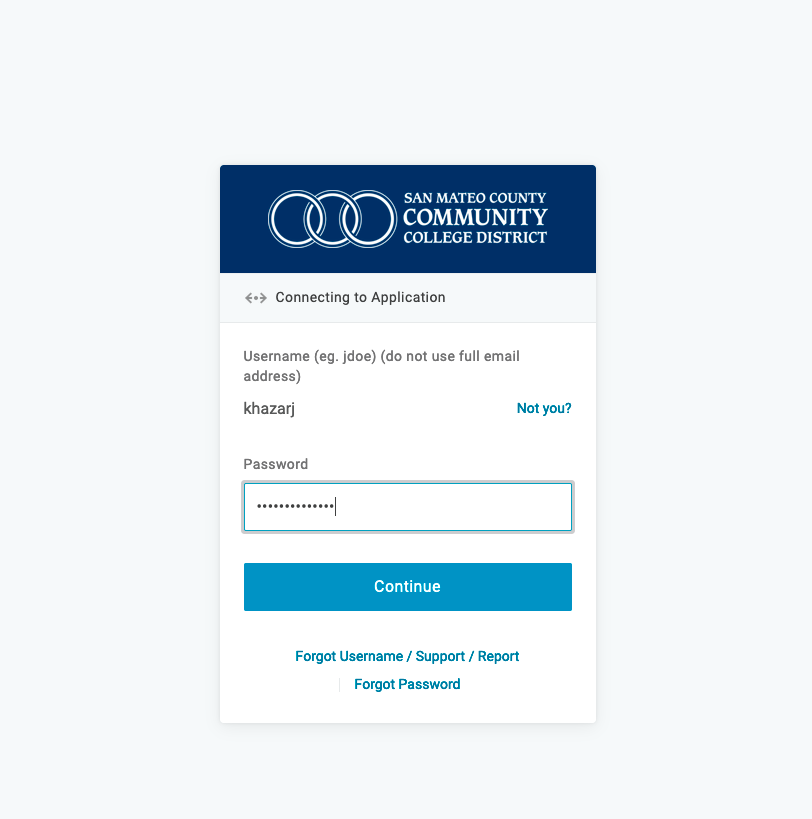
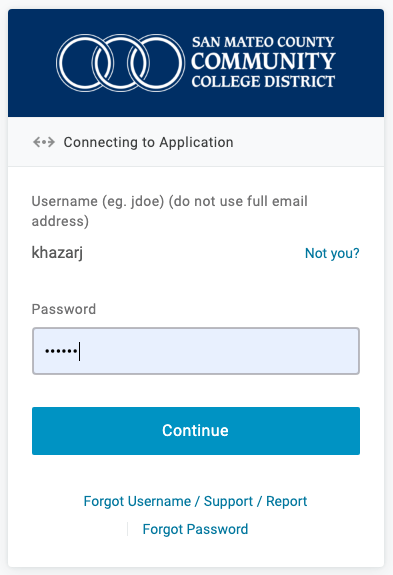 You may also see this version, which means you only need to enter your password
 - Enter your password and click Continue
- Enter your password and click Continue
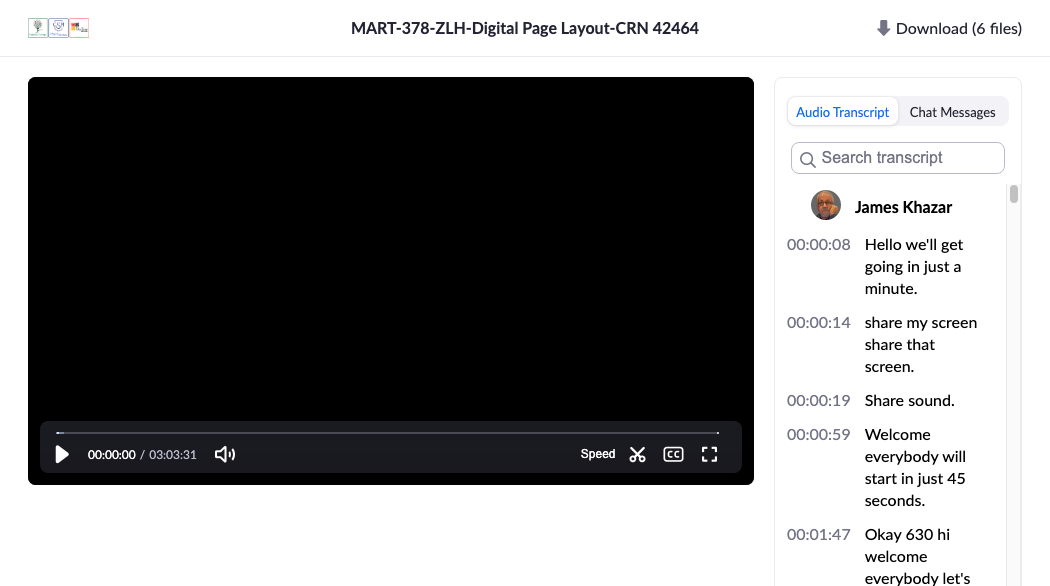
- With luck, you'll see this and have access to the video of our class. Sometime, however, you might see a blank white page. If that happens I find going back to this page and clicking on the video link again seems to fix it.