View iPad on Mac
- Connect iPad to Mac with cable
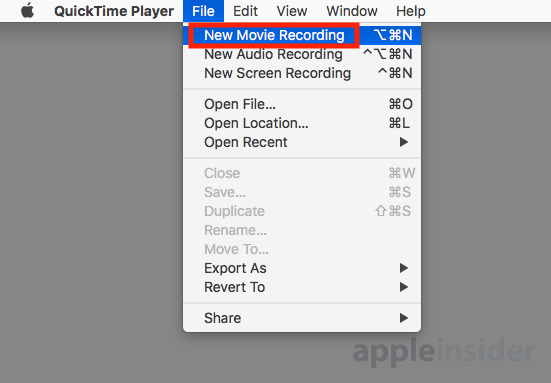
- Open QuickTime Play on Mac
- Choose Menu > File > New Movie Recording
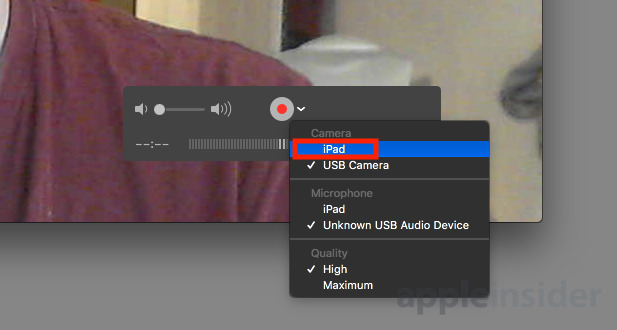
- When window opens, choose the little carrot arrow next to the record button to get menu of item you can record
- Choose the iPad. You can stop the recording buy clicking on the red button, and it will keep displaying the iPad.